New Feature: Introducing Custom Properties in CertFusion
Certificates are rarely one-size-fits-all. While standard fields like [recipient.name] or [certificate.issued_on] are useful, many creators want more flexibility to add unique details that matter to their audience.
That’s why we’re excited to announce Custom Properties — a new way to bring extra personalization into your certificates.
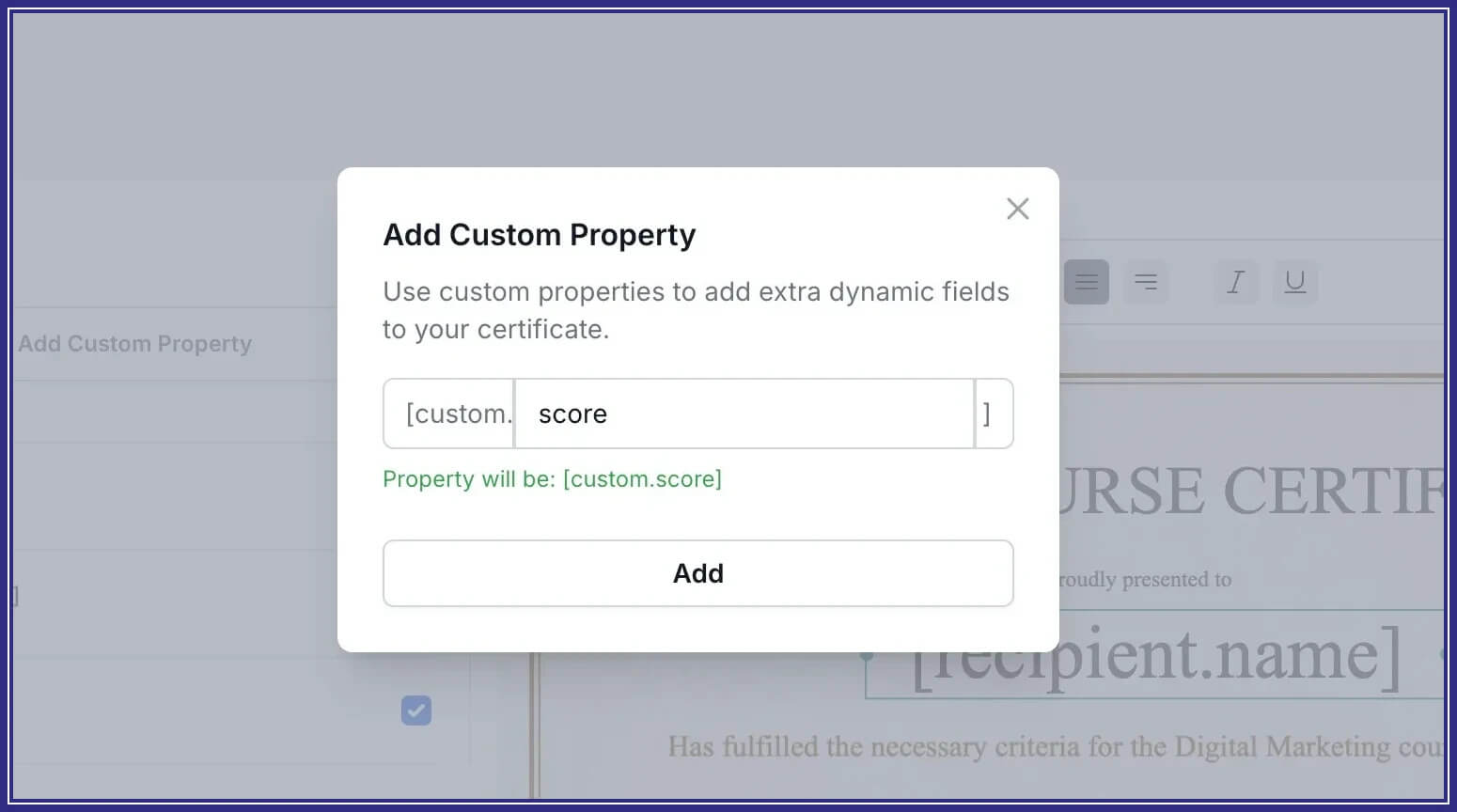
What are Custom Properties?
Custom Properties are user-defined dynamic variables that you can add to your certificate templates. They use the format:
[custom.xxx]
For example:
[custom.company]→ insert a learner’s company name[custom.score]→ show a test score or grade[custom.event]→ display an event code or batch number
When you generate certificates, CertFusion automatically replaces these placeholders with real data — just like the built-in variables you already use.
Why this is useful
Every creator and event organizer has different needs. Custom Properties give you the freedom to:
- Add extra personalization beyond the default fields.
- Automate at scale, without manual edits.
- Make certificates more meaningful for recipients and their organizations.
Real-world examples
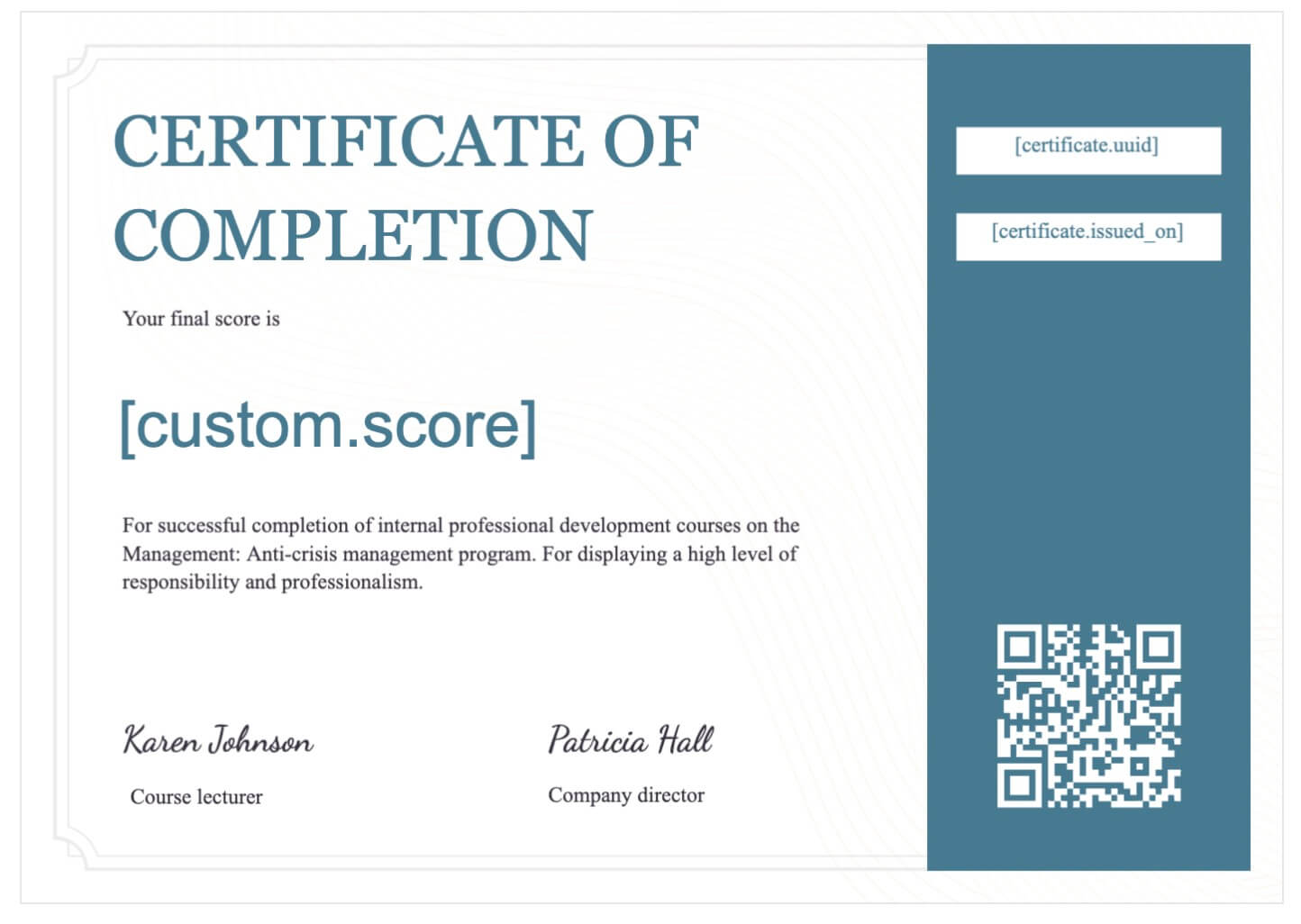
- Online courses → include
[custom.score]to display final exam results.
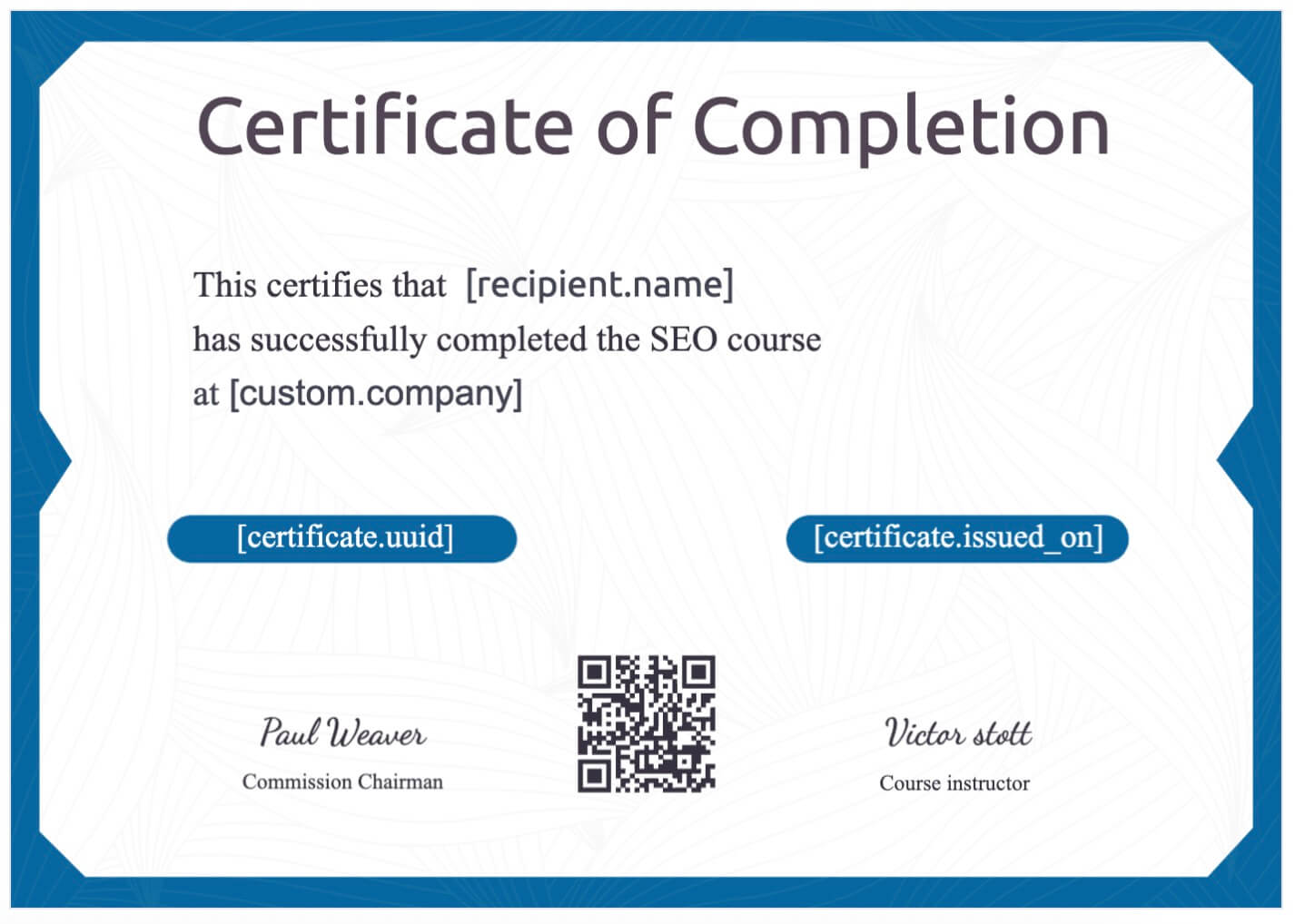
- Corporate workshops → add
[custom.company]to show the participant’s employer.
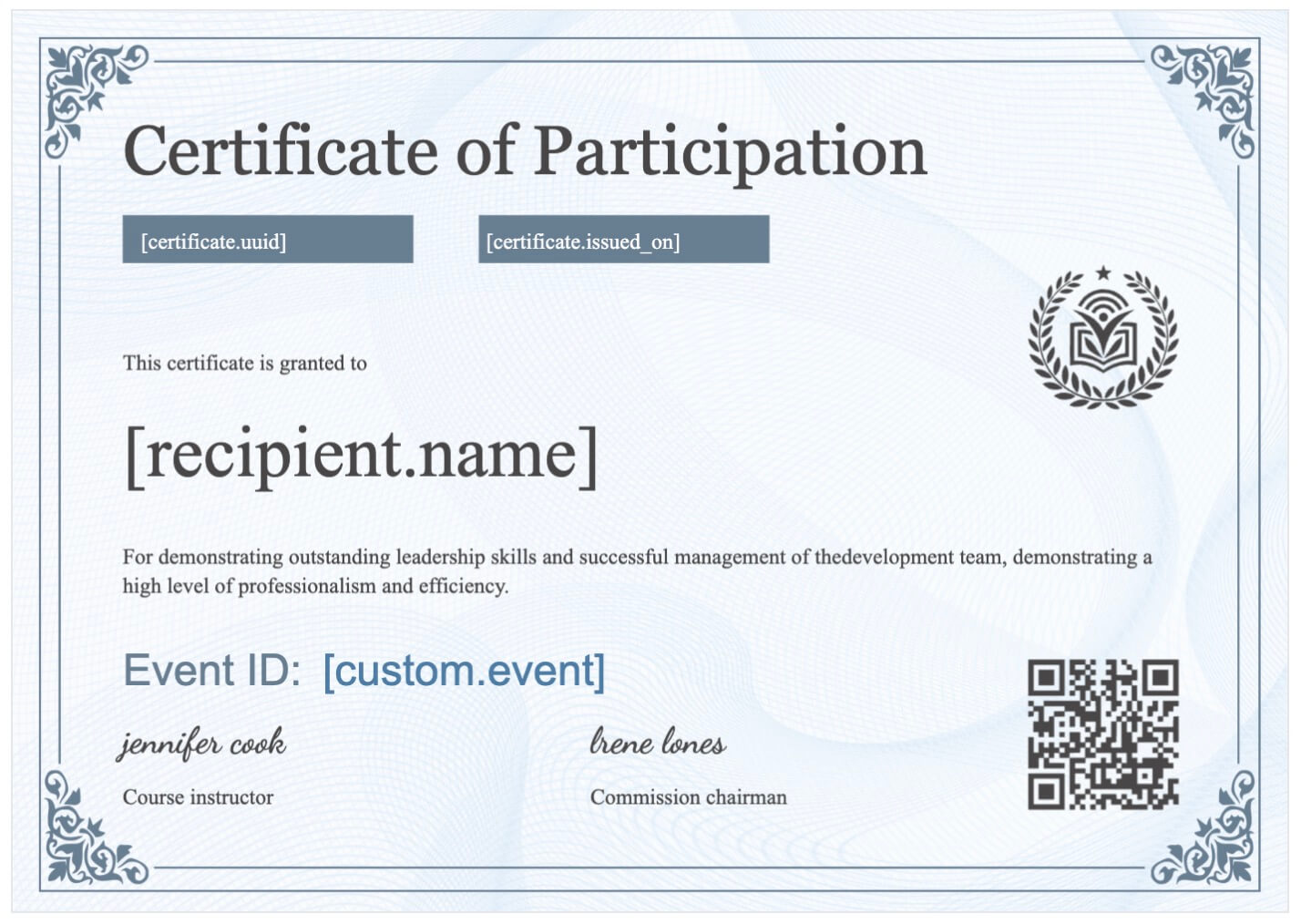
- Events & conferences → use
[custom.event]for tracking or batch numbering.
Get started today
Custom Properties are live and ready for you to use. Next time you design a certificate, try adding a [custom.xxx] field — and make your certificates truly yours.
👉 Log in to your CertFusion dashboard and start exploring.
Watch the Demo
See Custom Properties in action in our quick walkthrough:
Table of Contents
Related Articles
Discover more insights and stories that might interest you