New Feature: Customize Your Social Sharing Messages
When your recipients share their certificates on social media, the message matters just as much as the credential itself. A generic "Check out this certificate" might work, but imagine the impact of a personalized, on-brand message that truly represents your program's voice.
That's why we're introducing Custom Social Sharing Messages — giving you full control over what gets said when your certificates are shared across LinkedIn, Facebook, and X.
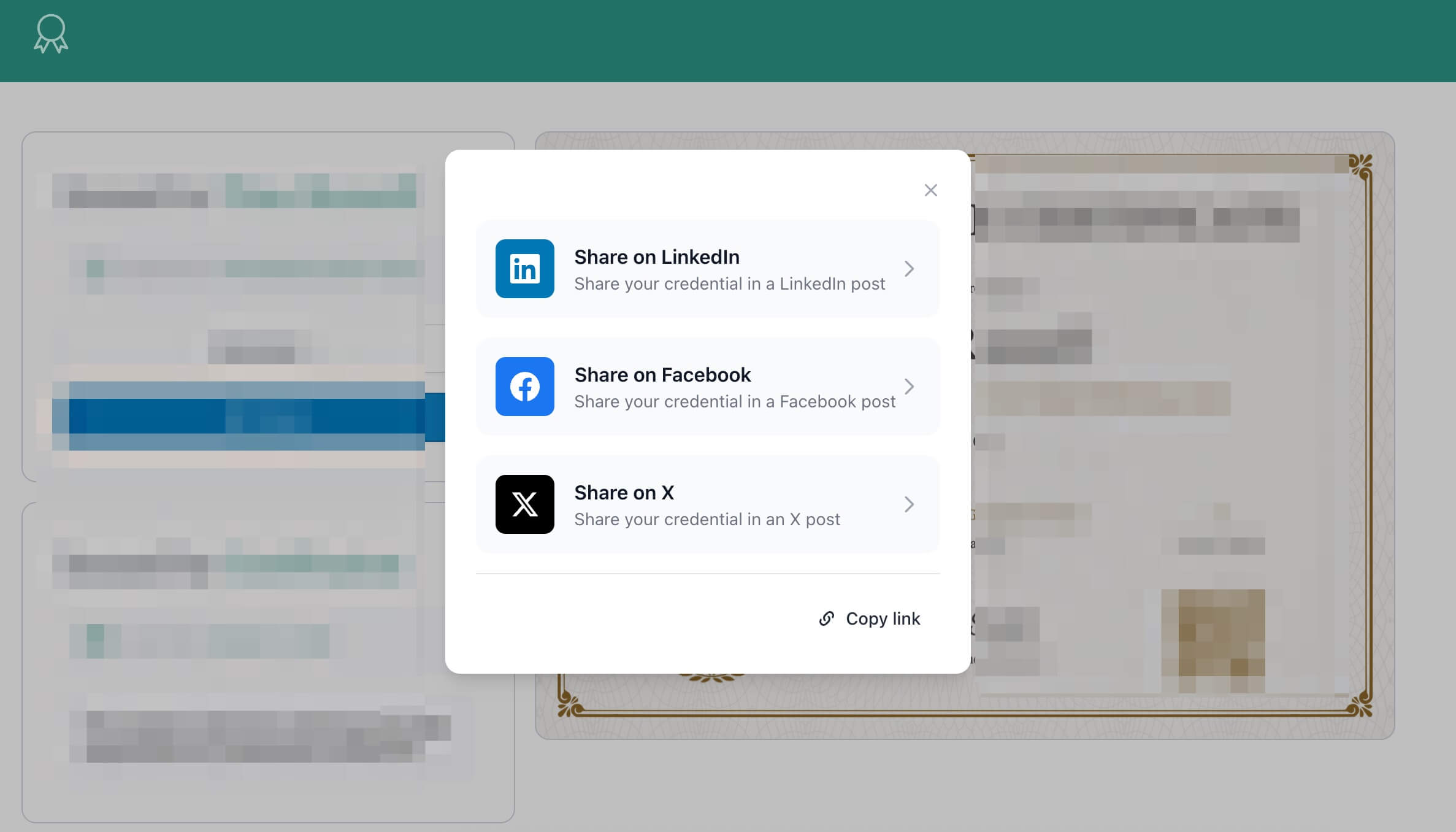
What are Custom Social Sharing Messages?
Custom Social Sharing Messages let you write personalized messages that appear when recipients share their certificates on social media. Instead of using generic text, you can craft messages that match your brand, include calls-to-action, or add that extra touch of celebration.
And here's the best part: use the [name] placeholder, and we'll automatically replace it with each recipient's name — making every share feel personal and authentic.
Why this matters
Every share is a moment of visibility for your program. Make it count:
- Stay on-brand with messaging that reflects your organization's voice
- Drive engagement with compelling calls-to-action
- Boost credibility with professional, polished announcements
- Personalize at scale using the
[name]placeholder for automatic customization - Optimize per platform with separate messages for different audiences
How it works
You get two customization options:
Facebook & LinkedIn Messages
Write one message that works for both platforms (they share the same Open Graph meta tags). Perfect for professional, detailed announcements.
Character limit: 1,000 characters
Twitter/X Messages
Create a separate, snappier message optimized for X's fast-paced environment. This message pre-fills the tweet compose box when recipients click share.
Character limit: 280 characters (Twitter's standard)
Both fields are completely optional — leave them blank to use our default message: "Check out [name]'s new credential!"
How to customize your messages
- Go to your certificate template settings
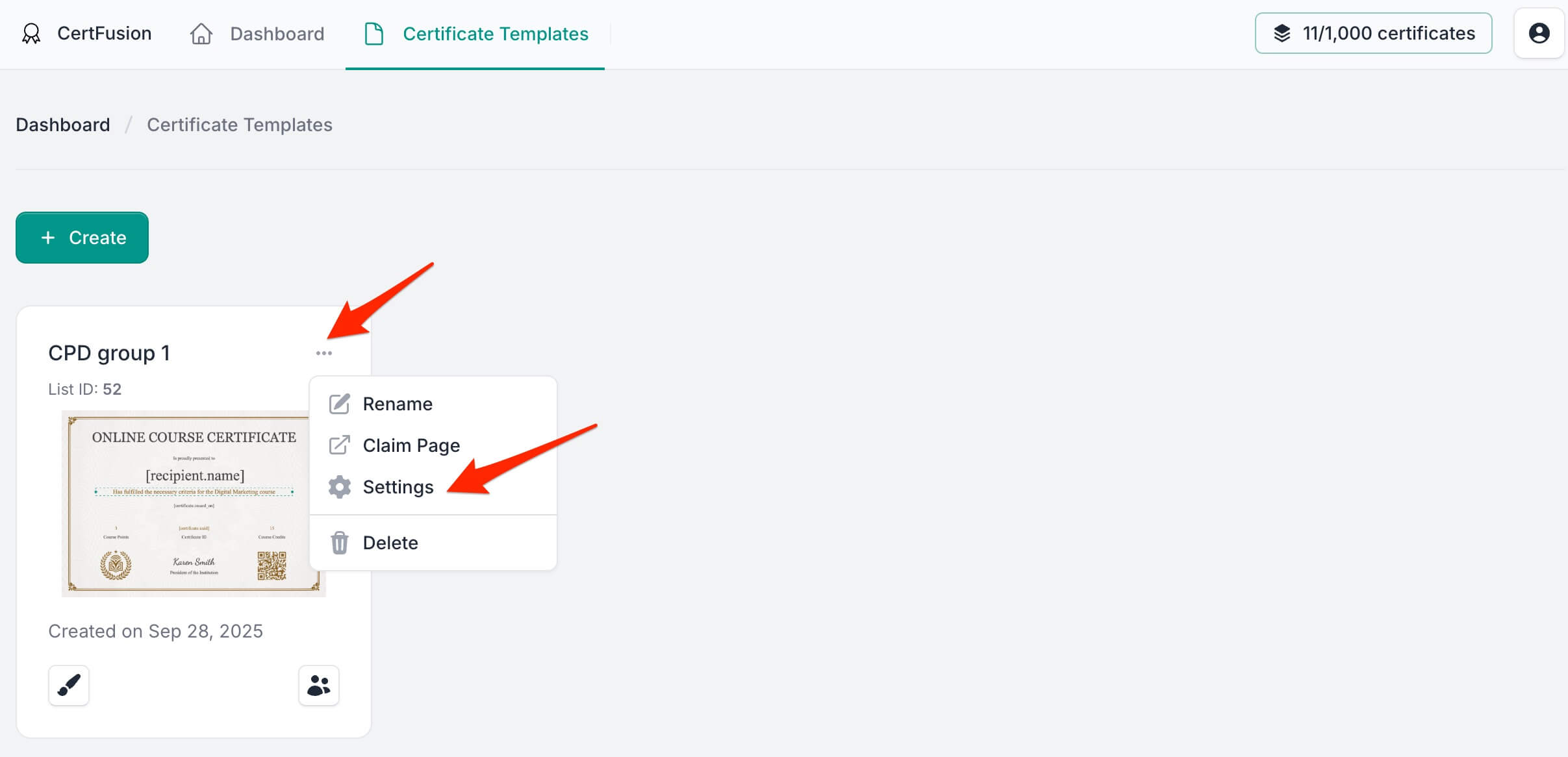
- Navigate to the Social tab
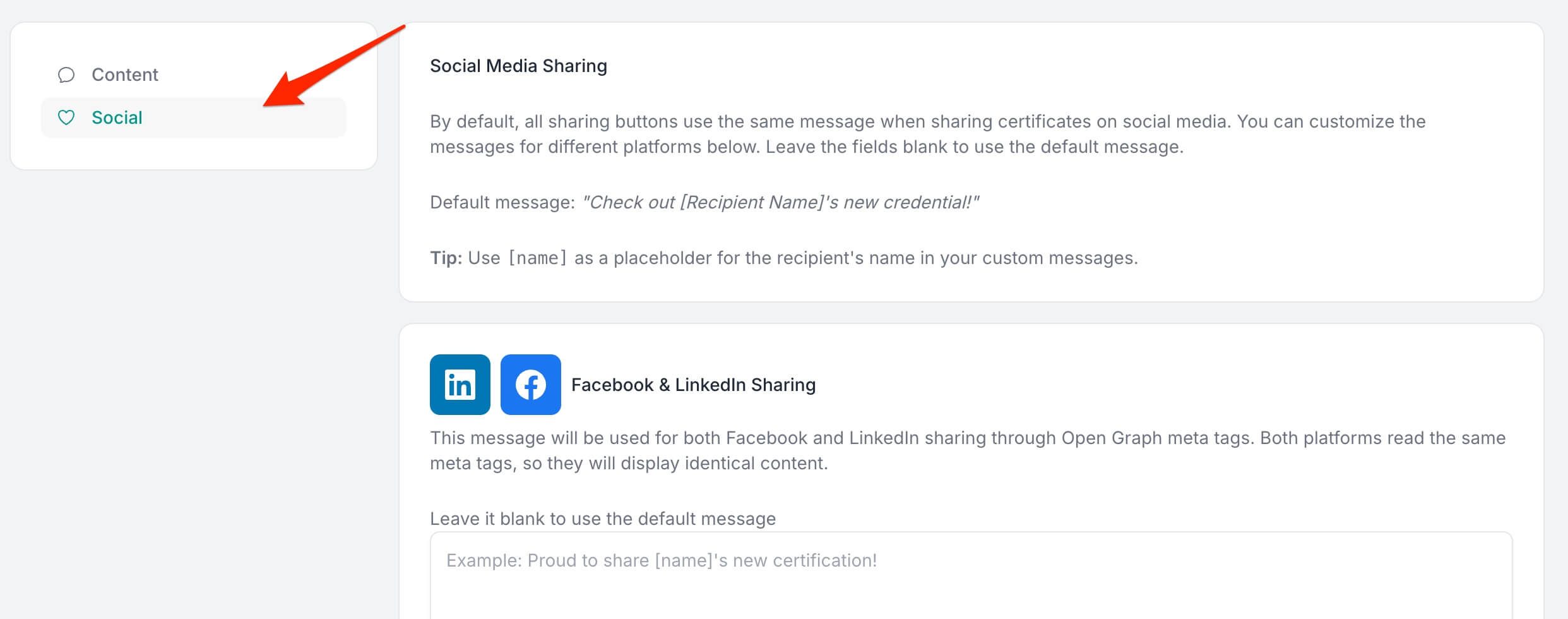
- Enter your custom message in the Facebook & LinkedIn section (or leave blank for default)
- Add a Twitter/X-specific message if desired (or leave blank for default)
- Use
[name]anywhere in your message as a placeholder for the recipient's name - Save each section independently
That's it! Your custom messages will now appear whenever recipients share certificates issued from that template.
Real-world examples
- Educational programs → "Proud to announce that [name] has successfully completed our Data Science Bootcamp! 🎓"
- Corporate training → "Congratulations to [name] for achieving certification in Advanced Project Management. Join our next cohort!"
- Event credentials → "Another inspiring graduate! [name] just completed the 2025 Innovation Summit. #Innovation2025"
- Professional certifications → "[name] is now a certified expert! Ready to transform your career? Learn more at [link]"
Get started today
Custom Social Sharing Messages are live now. Head to your certificate template settings, click the Social tab, and start crafting messages that make an impact.
👉 Log in to your CertFusion dashboard and customize your social messages.
Pro tip: Use emojis and hashtags in your Twitter/X messages to increase engagement and discoverability!
Table of Contents
Related Articles
Discover more insights and stories that might interest you